ShareKeyX
HomeAboutAI AnalysisTradeMarketCommunityInsightsResourcesHelp CenterContact Us
Login
HomeAboutAI AnalysisTradeMarketCommunityInsightsResourcesHelp CenterContact UsLogin
Advanced mode · Connected accounts

Research, connect, review and route from one mobile workflow

ShareKeyX Advanced combines every Premium research feature with supported broker and Binance Spot connections, account-aware portfolios, explicit order tickets, risk controls and auditable timelines.

Compare Advanced plansOpen setup guides
43broker connection profilesPlatform-specific setup
2trade asset tabsEquity Stocks and Crypto
2portfolio perspectivesConsolidated and standalone
0AI-triggered ordersUser confirmation is required
The Advanced workspace

Every connected-account module keeps account identity visible

The Advanced bottom navigation remains available across its screens, while the active account context and account switcher prevent accidental cross-account routing.

Connect

43 broker profiles

Choose the exact broker and platform, then use its dedicated OAuth, TOTP, XTS, token or credential flow instead of a generic form.

  • Broker and platform validation
  • Encrypted user/account separation
  • Daily OAuth where required
Explore this workspace
Connect

User-owned Binance Spot

Advanced users connect their own scoped Binance key for account, portfolio, user-stream and permitted Spot-order operations.

  • No platform-key fallback
  • No withdrawals or transfers
  • No margin or futures
Explore this workspace
Inspect

Consolidated portfolio

Review supported Equity and Crypto holdings together, then move into standalone account-level views without losing account identity.

  • All-account overview
  • Equity and Crypto separation
  • Account-by-account drill-down
Route

Equity and Crypto tickets

Search the supported instrument universe, inspect the available quote, choose the connected account, lock the ticket and explicitly confirm Buy or Sell.

  • Equity exchange context
  • Binance crypto search
  • No exchange picker for Binance
Follow

Orders and timelines

Track the immutable request, validation, routing, provider acknowledgement, fill, rejection, cancellation and reconciliation sequence.

  • Idempotent client reference
  • Provider-status mapping
  • Broker/exchange record authority
Control

Rate and pressure guardrails

Aggregate, user, account and provider controls protect the system. Under order pressure, the service can restrict intake to eligible limit orders or stop routing.

  • No speed guarantee
  • Bounded retries and fallbacks
  • Ticket-based error reporting
Order ticket

One deliberate sequence from search to provider state

Quotes and provider responses can change. The workflow validates the current request, shows the data timestamp, requires a final review and records each transition.

  1. 01

    Choose the asset tab

    Use Equity Stocks for supported broker instruments or Crypto for a linked Binance Spot account.

  2. 02

    Search and validate

    Resolve the canonical instrument, available live or latest price, exchange where relevant, quantity and allowed order fields.

  3. 03

    Choose a connected account

    Route only through the explicit user account. The selector is hidden when no eligible account is linked.

  4. 04

    Lock and review

    Freeze the selected instrument and show side, quantity, order type, price, account, estimated value, warnings and data time.

  5. 05

    Confirm the instruction

    A deliberate user confirmation creates an idempotent order request. AI and research content cannot trigger it.

  6. 06

    Sequence and reconcile

    Apply rate and risk controls, route when enabled, then reconcile the authoritative broker or exchange state into the timeline.

Portfolio architecture

Consolidated first, standalone when account detail matters

Supported holdings are not flattened into an anonymous total. Asset class, provider, account and freshness remain available for investigation.
Consolidated

  • All supported linked accounts
  • Equity and Crypto sections
  • Aggregate value and allocation
  • Provider and refresh state

Standalone Equity

  • Broker account selector
  • Holdings and positions
  • Available funds where supported
  • Account-specific order path

Standalone Crypto

  • User-owned Binance Spot account
  • Spot balances and holdings
  • Crypto symbol search
  • No exchange selector

Data integrity

  • No account selector when none is linked
  • Loading, empty, stale and error states
  • Latest available provider timestamp
  • Manual refresh and reconciliation
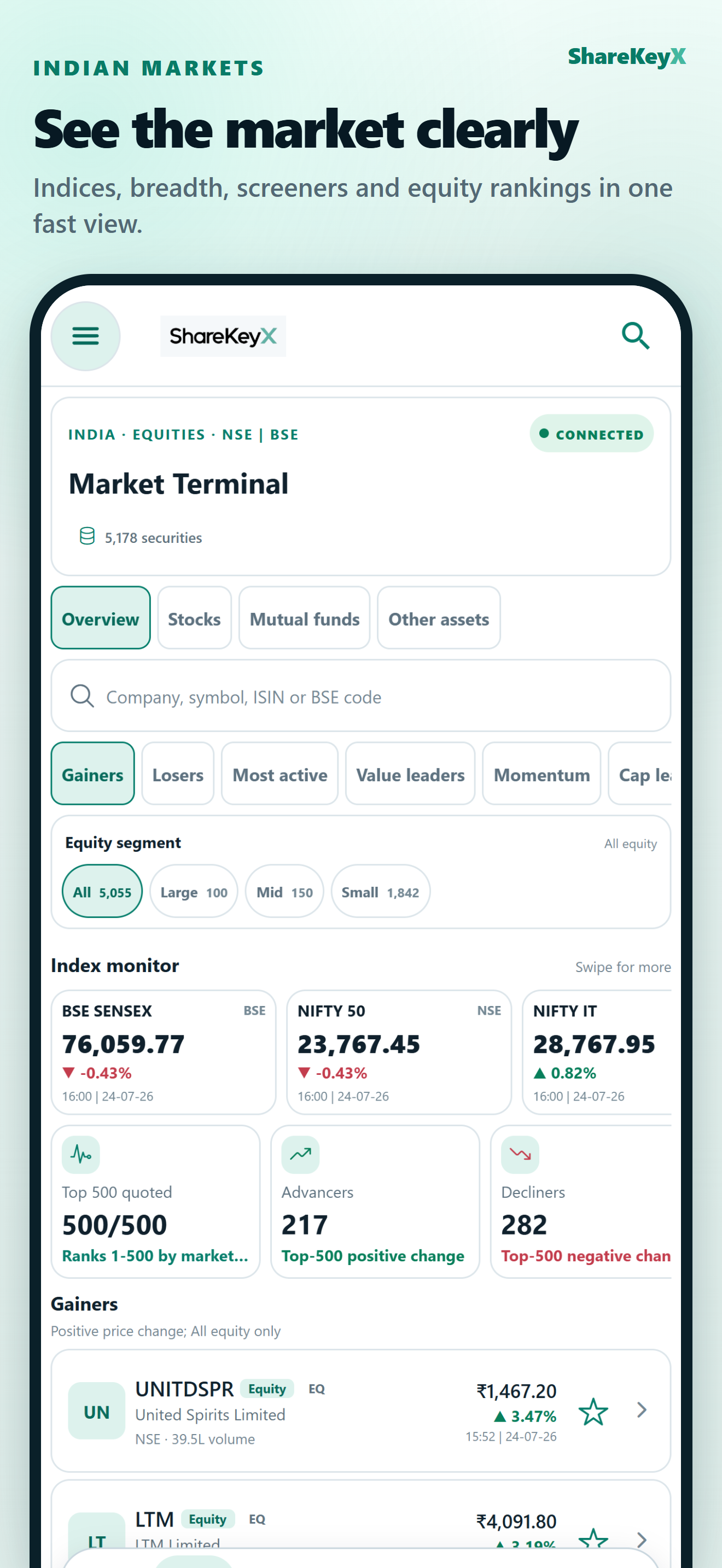
ShareKeyX mobile market discovery workspace
Research before routing

Begin with canonical search, company evidence and a visible quote state

Advanced mode does not replace the Basic research system. Search still opens the same company record, and the order ticket keeps instrument identity, exchange context and available price separate from AI analysis.

Equity search

  • Company, symbol or ISIN
  • Supported exchange and account
  • Available live or latest price
  • Buy and Sell only after selection

Crypto search

  • Binance-supported Spot symbols
  • User-linked Binance account
  • Available live or latest price
  • No irrelevant exchange option

Research boundary

  • Company screen remains accessible
  • AI never submits an order
  • Educational analysis only
  • User reviews every instruction
Execution and security controls

Fast paths stay bounded by correctness, capacity and provider authority

Server-side sequencing, idempotency, credential isolation and reconciliation reduce avoidable failure without promising a fill, a price or a fixed execution time.

Credential separation

Every secret stays bound to its user, account, broker and platform. A credential belonging to another broker or platform is rejected.

Pressure-aware intake

Rate limits apply across the platform as well as user, account and provider scopes. Limit-only or stop controls can protect order sequencing under pressure.

Corrective lifecycle

Bounded retry, cancellation, reconciliation and support-ticket evidence provide a recoverable path when providers time out or disagree.

Clear boundaries

Connected workflows do not remove market, provider or user responsibility

Advanced account and order workflows are conditional on an active entitlement, supported account and instrument, verified user-owned credentials, provider and jurisdiction eligibility, adequate rate-limit capacity, and enabled server execution controls. The broker or exchange record is authoritative. AI never autonomously places an order.

Available research scope

What ShareKeyX helps users do

  • 43 broker-specific connection profiles and platform variants
  • User-owned Binance Spot connection with strict credential separation
  • Consolidated and standalone portfolio views where provider data permits
  • Explicitly confirmed, conditional order routing with timelines and reconciliation
Not offered

What the current product does not do

  • Autonomous, AI-triggered or guaranteed order execution
  • Binance withdrawals, transfers, margin or futures
  • Mutual-fund purchase, SIP, mandate, redemption or settlement
  • Guaranteed quote freshness, fill price, speed, return or suitability

Credential, website and educational-use disclosures

ShareKeyX platform credentials are used only for market data. Account, portfolio, user-stream and permitted Spot-order operations require the Advanced user’s own scoped Binance credentials. There is no credential fallback; withdrawals, transfers, margin and futures are not supported.

Signed-in website users can purchase one-time AI credit packs through customer-bound Razorpay Payment Links and subscriptions through Razorpay Subscriptions where web billing is enabled. Native app purchases remain billed by Apple or Google and all clients use the same server-owned wallet and entitlements.

ShareKeyX reports, chat, market data and connected-account tools are for educational research only. They are not personalized investment advice and must not be used as the sole basis for an investment or other financial decision. Data may be delayed, partial, stale, assessed or unavailable, and no price, speed, execution or outcome is guaranteed.

Prepare before connecting

Use the exact guide for your broker or exchange

Review required fields, security scopes, daily-login requirements and troubleshooting before entering credentials in the app.

Browse setup guides
ShareKeyX mobile

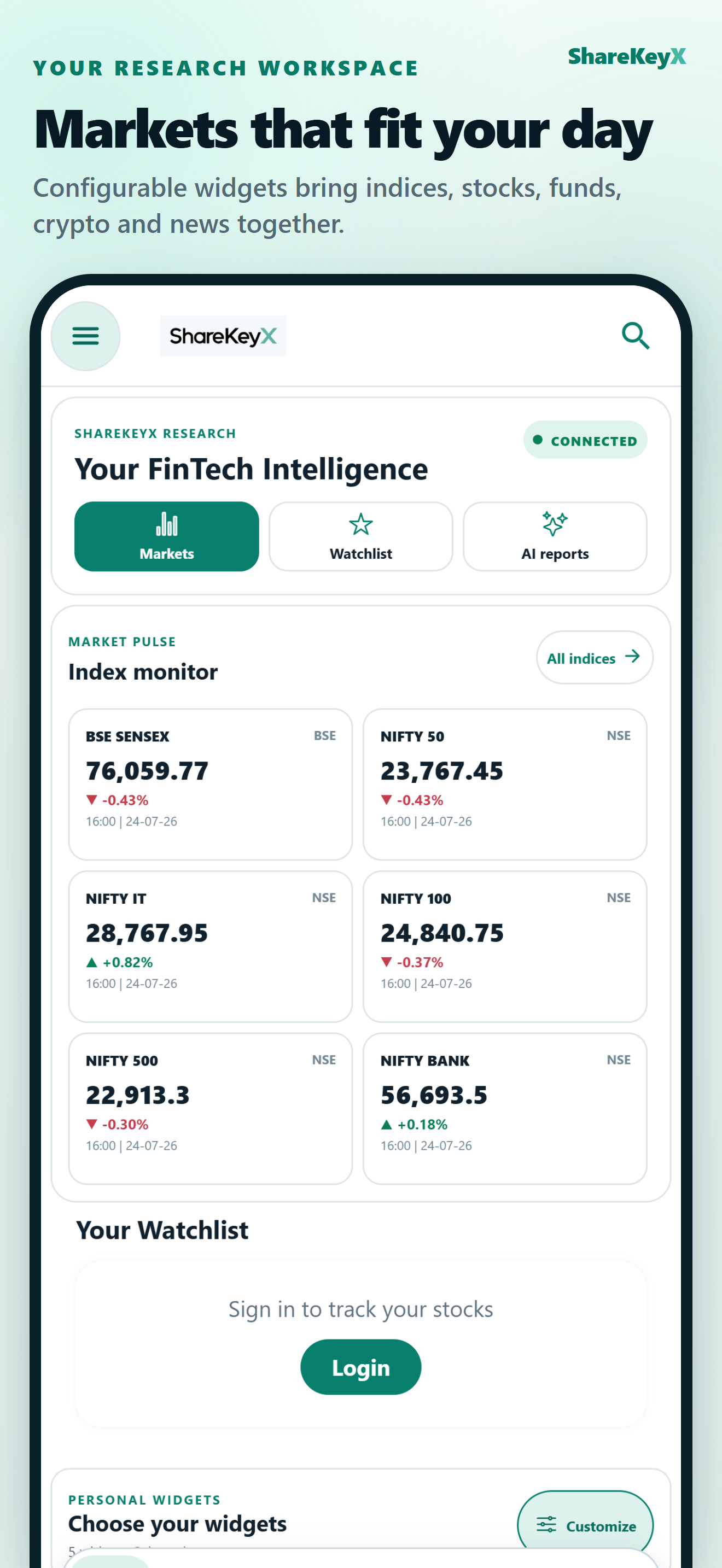
Markets on the Go

Move between the dashboard, markets, company research, charts, and AI reports in one consistent mobile experience.
DOWNLOAD THE APPGoogle Play
Mobile feature descriptions reflect the ShareKeyX 5.0.3 release candidate. Availability can depend on store approval, platform, account, region, subscription, provider data and staged server controls; verify the current in-app state before relying on it.
ShareKeyX iOS home dashboard
ShareKeyXShareKeyX by Rusaka

India-first, globally expanding market intelligence with transparent timestamps, exchange context, and research-first financial data.

Concise market updates

Important Links

  • About
  • AI Analysis
  • Trade
  • Market
  • Insights
  • Research Resources
  • Help Center
  • Referral & Affiliate Program
  • Affiliate Workspace
  • Request Delete Account

Research Library

  • Broker Setup Guides
  • Guides and Templates
  • Financial Calculators
  • Reports and Methodologies
  • Data and Screening
  • Financial Glossary
  • Indian Company Filings
  • IPO Knowledge Centre
  • Market Laws and Regulations

Legal and Programs

  • Terms of Service
  • Privacy Policy
  • Refund Policy
  • Research Disclaimer
  • Accessibility Statement
  • Important Notices
  • Proposed Programme Terms
  • Affiliate Workspace
  • Quality & Appeals

Key Links

  • Reserve Bank of India
  • Securities and Exchange Board of India
© ShareKeyX · Rusaka Technologies 2024–2026Built by Rusaka
FacebookXInstagramLinkedIn